How to set up artwork for large format printing
Updated 19 October 2026
Summary
To set up artwork for large format printing, send a PDF at full size or at an exact scale such as 1:10. Images need enough resolution for the distance people will see them from. Extend the background past the trim edge (bleed), set colours in CMYK with Pantone references for brand colours, and outline all fonts. This guide from Prodigy Graphics in Plumstead, Cape Town, explains each step for banners, wallpaper, signs and vehicle wraps.
What print-ready means
Large format printing covers banners, wallpaper, murals, posters, vehicle wraps, window film and sign faces. These are all much wider than an office printer can print. A print-ready file is one we can print without rebuilding it. It meets these seven points:
- Save it as a PDF, using a high-quality or PDF/X print preset.
- Build it at the final size, or to an exact scale, and say which.
- Check that the images are sharp enough at the final size.
- Add bleed and keep important content inside the safe zone.
- Use CMYK, and give Pantone references for brand colours.
- Outline or embed every font.
- Send big files as a download link instead of an email attachment.
Our artwork guidelines page has the same rules as a short checklist.
Vector and raster files
Vector artwork is made of points, lines and curves, so it stays sharp at any size. Logos and lettering should be vector. Anything we cut must be vector, such as vinyl lettering, laser-cut shapes or 3D letters, because the cutting machine follows those lines.
Raster artwork (also called bitmap) is a grid of pixels. Photographs are raster. A raster image holds a fixed amount of detail. If you enlarge it too far, it looks soft or blocky.
Most jobs use both, for example a photograph behind a vector logo and text. A PDF can hold both types, which is why we prefer it. A JPG logo placed in a PDF is still not vector.
| Vector | Raster | |
|---|---|---|
| Made of | Points, lines and curves | A grid of pixels |
| Common files | AI, EPS, SVG, PDF | JPG, PNG, TIFF, PSD |
| Enlarging | Stays sharp at any size | Goes soft past a certain size |
| Best for | Logos, lettering, anything cut | Photographs, painted textures |
Size and scale
Work at 1:1 (the real final size) whenever your software allows it. Many design programs limit the page to a few metres. For very big pieces, such as a stage front, build the file at an exact scale instead. The most common scale is 1:10, so a wall 6 m by 2.4 m becomes a document 600 mm by 240 mm.
Follow two rules for scaled artwork:
- Put the scale and final size in the file name, for example
stage-front_1-10_6000x2400mm.pdf, and repeat them in your message. - Scale the resolution too. An image in a 1:10 file needs ten times the pixels per inch you want at full size. For 150 ppi at full size, the image needs 1500 ppi in the 1:10 file.
Walls are seldom square. Measure at several points and give us the largest numbers.
Resolution and viewing distance
The number that matters is the effective resolution. This is the number of pixels per inch (ppi) at the final printed size. To work it out, divide the image width in pixels by the printed width in inches (one inch is 25.4 mm). A photo 6000 pixels wide printed 1 m wide gives about 150 ppi. The same photo printed 3 m wide gives about 50 ppi.
The eye cannot see fine detail from far away, so a print seen from further off needs fewer pixels per inch. A fence banner read from across the road needs much less detail than a poster read from close up. The table gives general guidelines. They are not fixed limits.
| Seen from | Examples | General guideline at final size |
|---|---|---|
| Close up (arm’s length) | Posters, canvas and fine art prints, counter graphics | About 150 ppi, more for fine art |
| A few metres | Wallpaper, murals, window graphics, pull-up banners | About 100 to 150 ppi |
| Across a road or a field | Fence banners, stage fronts, building banners | About 50 to 100 ppi |
| Far away | Billboards, banners high on a building | Often 20 to 50 ppi |
Enlarging an image in software adds pixels but does not add detail. Images saved from websites, social media or WhatsApp are compressed and small. An image 1080 pixels wide printed 1 m wide is about 27 ppi, which looks blurred. Send the original file. If you buy stock images, buy the largest size, with a licence that covers printing.
Bleed and the safe zone
Bleed is extra background that runs past the trim line. If the cut moves slightly, the bleed stops a thin white line from showing at the edge. Small items often use 3 mm of bleed. Large format usually needs more bleed. Banners need extra for hems and eyelets. Wallpaper is trimmed at the ceiling and skirting, and wraps fold around edges. We will confirm the bleed for your job.
The safe zone is the area a little way inside the trim line. Keep text, logos, phone numbers and faces inside it. Keep them away from banner hems and eyelets, wallpaper joins, switches and skirting, and vehicle door gaps and handles. Also keep them away from the bottom of a pull-up banner, because that part goes into the base.
Colour: CMYK, RGB and Pantone
Screens make colour with red, green and blue light (RGB). Print puts cyan, magenta, yellow and black ink (CMYK) on a surface that reflects light. RGB can show brighter colours than ink can print, especially bright greens, blues and oranges. A lit screen also always looks brighter than a print. The material changes the colour too. The same file looks different on matt wallpaper, gloss vinyl and canvas.
- Send artwork in CMYK. If it is RGB, tell us, so we can check the colour change on a proof.
- For brand colours, give Pantone references such as “Pantone 186 C”. We match colours as closely as the material allows. CMYK ink cannot print some Pantone colours.
- Cut vinyl comes in fixed colours, so we choose the vinyl closest to your Pantone reference.
- If colour is critical, ask for a printed test on the real material before we print the full job.
Fonts, linked images and sending big files
Convert all text to outlines (also called curves), or embed the fonts in the PDF. If you do not, the software replaces a missing font with a different one. Keep an editable copy for yourself. Embed linked images, or send them with the file in one folder.
Large files are too big for email. Upload them to WeTransfer or Google Drive and set sharing to “anyone with the link”. Then send us the link with a small JPG preview. Name files with the job, size and scale.
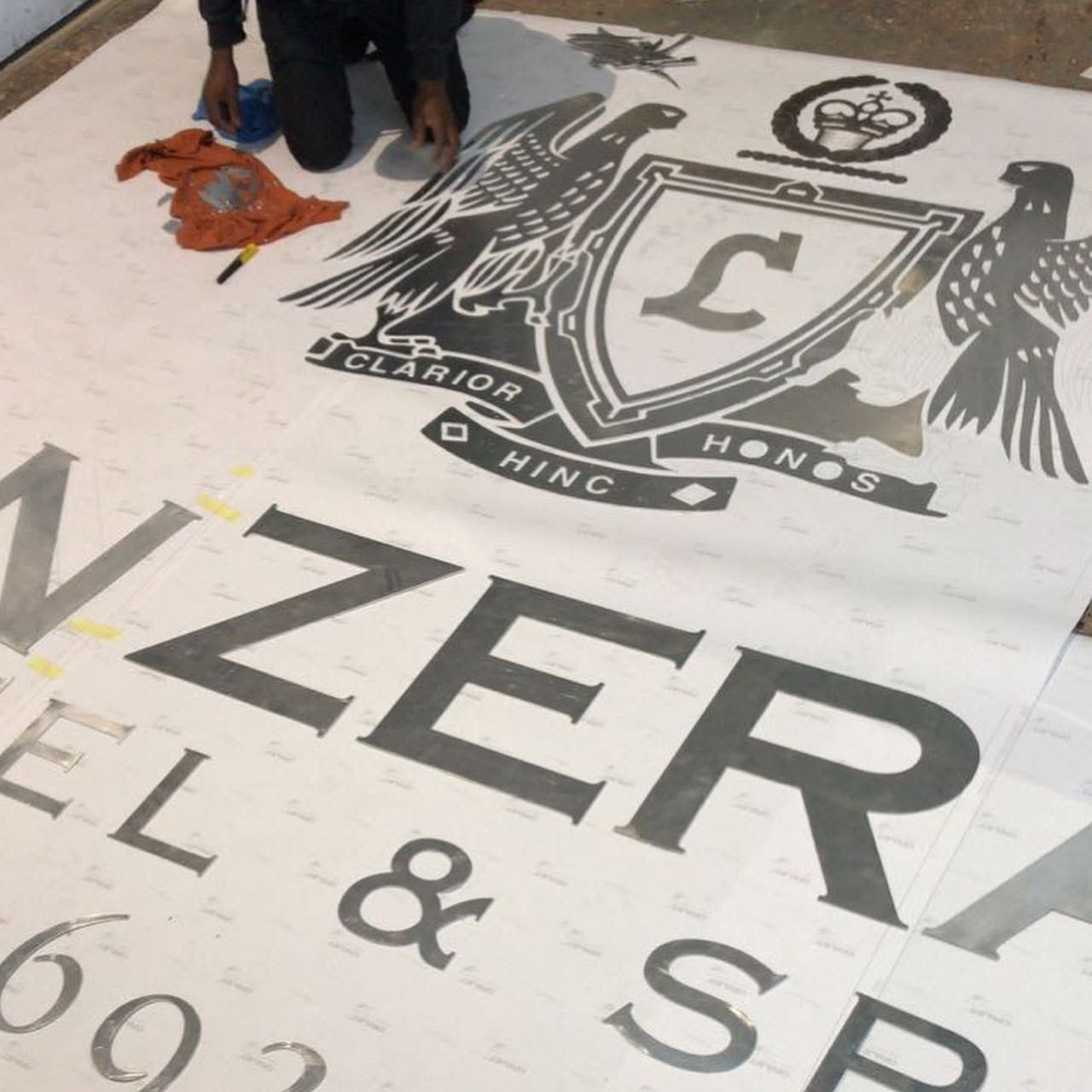
If this seems like too much, send us what you have. We check files before we print them, and we can set up or design the artwork for you. In the photo above, we laid out the Lanzerac crest at full size on the floor during production. Looking at a big piece at its real size is the best final check. When you are ready, ask for a quote.